setuid, setgid, and the Sticky Bit Explained
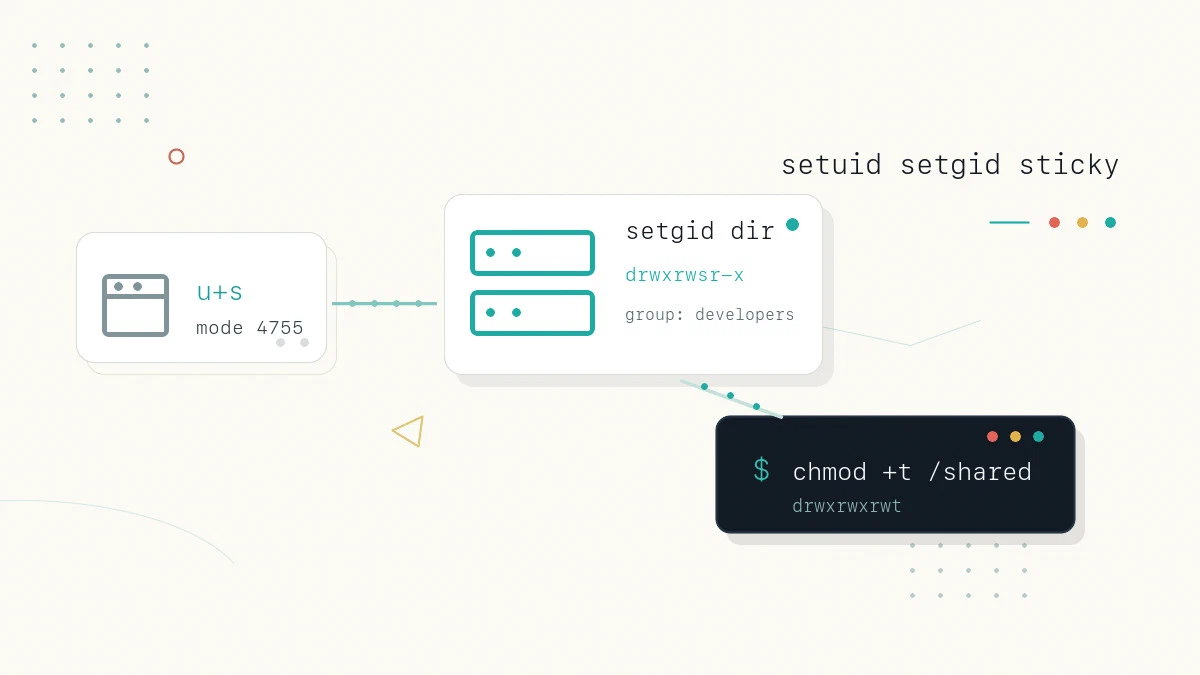
The familiar read, write, and execute permissions cover most of what you do with files, but Linux has three more permission bits that change how programs run and how shared directories behave. They explain why an ordinary user can change their own password with a tool owned by root, why files created in a team directory all share the same group, and why anyone can write to /tmp yet cannot delete another user’s files there. These are the setuid, setgid, and sticky bits.
This guide explains what each special permission does on files and on directories, how to set and read them, and the security points to keep in mind.
To watch a special bit change the four-digit mode and the s or t in symbolic notation, toggle it in the interactive chmod calculator
.
Where the Special Bits Fit
A file’s mode has three groups of permissions, for the owner, the group, and others, each with read, write, and execute. The special bits sit alongside them and are shown inside the same execute positions. In a numeric chmod value they form a fourth leading digit:
4- setuid2- setgid1- sticky bit
So chmod 4755 sets setuid plus 755, and chmod 2770 sets setgid plus 770. You can also set them symbolically with u+s, g+s, and +t, which is often clearer.
The setuid Bit
The setuid (“set user ID”) bit applies to executable files. Normally a program runs with the privileges of the user who starts it. When the setuid bit is set, the program instead runs with the privileges of the file’s owner. The classic example is passwd, which is owned by root because it must write to /etc/shadow, a file ordinary users cannot touch:
ls -l /usr/bin/passwd-rwsr-xr-x 1 root root 68208 Jan 1 09:00 /usr/bin/passwdThe s in the owner’s execute position (where you would expect x) is the setuid bit. Because the file is owned by root and carries setuid, any user who runs passwd does so with root privileges for the duration of that command, which is what lets them update their own entry in a protected file.
Set the bit on a file with either form:
sudo chmod u+s program
sudo chmod 4755 program
If the file does not also have the execute bit set, the listing shows a capital S instead of s, which signals setuid without execute and is usually a mistake.
The setgid Bit
The setgid (“set group ID”) bit behaves differently depending on whether it is set on a file or a directory, and the directory case is the more useful of the two.
On an executable file, setgid works like setuid but for the group: the program runs with the file’s group privileges rather than the caller’s.
On a directory, setgid changes how new files inside it are owned. Normally a new file takes the primary group of the user who created it. With setgid set on the directory, every new file and subdirectory instead inherits the directory’s group, and new subdirectories also keep the setgid bit.
This is the standard way to set up a shared project folder where everything created should belong to one team group. Assuming the developers group already exists, you can assign the directory to that group and set the bit like this:
sudo chgrp developers /srv/project
sudo chmod 2775 /srv/project
ls -ld /srv/projectdrwxrwsr-x 2 root developers 4096 Jan 1 09:00 /srv/projectThe s in the group’s execute position is the setgid bit. From now on, new files that members create in /srv/project inherit the developers group automatically, so the team does not have to fix group ownership by hand. Group write access still depends on the file mode, the user’s umask, or a default ACL, so set those defaults to match how the team works. Set the bit symbolically with chmod g+s /srv/project.
The Sticky Bit
The sticky bit applies to directories. When it is set, a user may only delete or rename a file inside the directory if they own that file (or own the directory, or are root), even when the directory itself is world-writable. The canonical example is /tmp, where every user needs to create files but no user should be able to remove another’s:
ls -ld /tmpdrwxrwxrwt 10 root root 4096 Jan 1 09:00 /tmpThe t in the others’ execute position is the sticky bit. Without it, a world-writable directory would let any user delete any file in it, since delete permission depends on the directory, not the file. The sticky bit closes that gap. Set it on a shared directory with either form:
sudo chmod +t /shared/dropbox
sudo chmod 1777 /shared/dropbox
As with the other bits, a capital T appears instead of t when the directory lacks the others-execute permission.
Reading the Bits in ls Output
Each special bit reuses an execute slot in the permission string, so you read them by position:
- setuid replaces the owner’s
x, shown ass(orSwithout execute). - setgid replaces the group’s
x, shown ass(orSwithout execute). - sticky replaces the others’
x, shown ast(orTwithout execute).
A lowercase letter means the underlying execute permission is also set; an uppercase letter means it is not. To find setuid programs across the system, use find with a -perm test, for example sudo find / -perm -4000 -type f -print.
Quick Reference
For a printable quick reference to chmod modes, see the chmod cheatsheet .
| Bit | Symbolic | Numeric | Applies to | Effect |
|---|---|---|---|---|
| setuid | u+s | 4 | Executable files | Runs with the file owner’s privileges |
| setgid | g+s | 2 | Files and directories | File: runs with the file’s group. Directory: new files inherit the directory’s group |
| sticky | +t | 1 | Directories | Only the file owner can delete or rename files in the directory |
Security Notes
Setuid and setgid are powerful, and a setuid-root program is a common target for attackers, because a flaw in it can hand over root privileges. Keep these points in mind:
- Set setuid or setgid only on programs that genuinely need it, and prefer well-audited system tools over custom scripts.
- The Linux kernel ignores the setuid and setgid bits on shell scripts, so you cannot make a script run as another user this way. Use
sudorules instead. - Audit the setuid programs on a system periodically with
sudo find / -perm -4000 -type f -printand investigate anything unexpected.
/etc/sudoers rather than marking a program setuid.FAQ
What does the setuid bit do?
It makes an executable run with the privileges of the file’s owner rather than the user who starts it. A setuid-root program such as passwd runs as root, which lets ordinary users perform a tightly scoped privileged action.
What is the difference between setgid on a file and on a directory? On a file, setgid runs the program with the file’s group privileges. On a directory, it makes new files and subdirectories inherit the directory’s group instead of the creator’s primary group, which is how shared team folders keep a consistent group.
Why am I unable to delete a file in /tmp that I do not own?
The sticky bit is set on /tmp. In a directory with the sticky bit, only the owner of a file (or the directory owner or root) may delete or rename it, even though the directory is writable by everyone.
Does setuid work on shell scripts?
No. The kernel ignores setuid and setgid on scripts for security reasons. To let a user run a script with higher privileges, grant that command through sudo configuration instead.
Conclusion
The setuid, setgid, and sticky bits extend the standard permission model to control how programs run and how shared directories behave. Use setuid and setgid sparingly and only on trusted programs, lean on setgid directories and the sticky bit for safe shared spaces, and reach for sudo rather than setuid scripts. For the underlying permission model, see our guide on Linux file permissions
and the chmod command
.
Tags
Linuxize Weekly Newsletter
A quick weekly roundup of new tutorials, news, and tips.
About the authors

Dejan Panovski
Dejan Panovski is the founder of Linuxize, an RHCSA-certified Linux system administrator and DevOps engineer based in Skopje, Macedonia. Author of 1000+ Linux tutorials with 20+ years of experience turning complex Linux tasks into clear, reliable guides.
View author page