The ~/.ssh Folder: Files, Permissions, and Layout
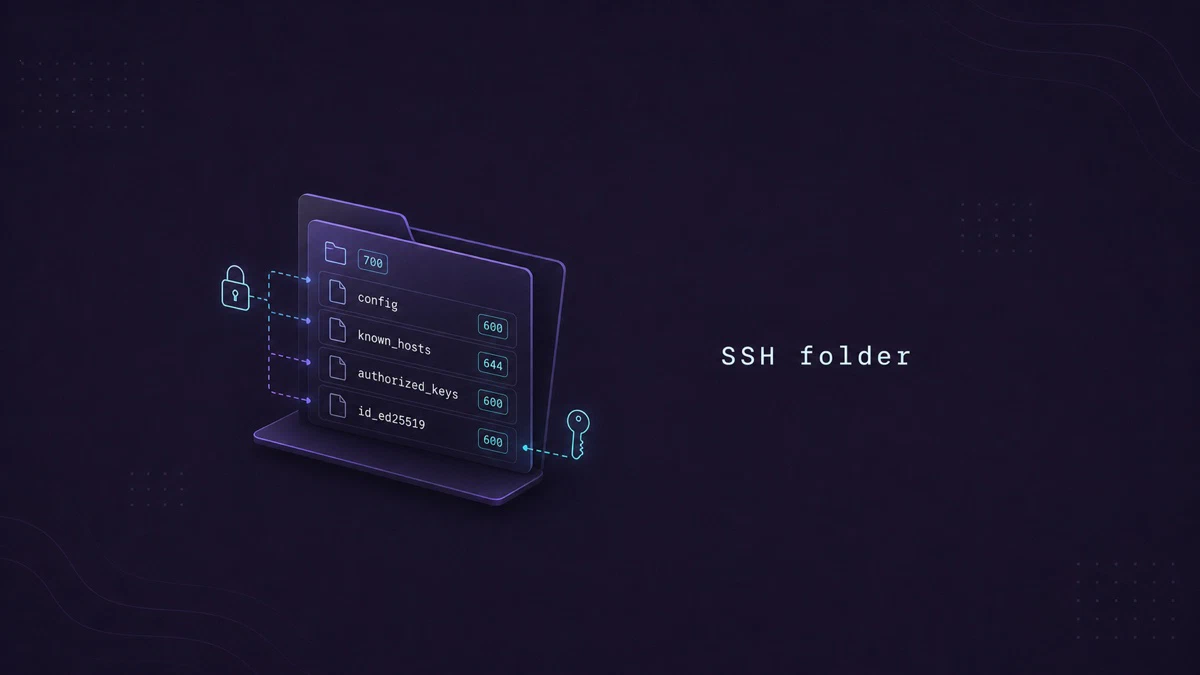
When SSH stops accepting a key after you copy files to a new computer, restore a backup, or change ownership, the first place to check is ~/.ssh. OpenSSH uses this directory for your private and public keys, trusted host records, and per-host connection settings.
Some files inside the directory are public, while others must stay private. This guide explains what each file does, which permissions to use, and how the layout differs between an SSH client and server.
If you want to check what modes like 700 and 600 allow before you apply them, the interactive chmod calculator
shows each one in symbolic form.
Quick Reference
For a printable quick reference, see the SSH cheatsheet .
| Path | Purpose | Permissions |
|---|---|---|
~/.ssh/ | The directory itself | 700 |
~/.ssh/id_ed25519, id_rsa | Private keys | 600 |
~/.ssh/id_ed25519.pub, id_rsa.pub | Public keys | 644 |
~/.ssh/authorized_keys | Public keys allowed to log in to this account | 600 |
~/.ssh/known_hosts | Host keys of servers you have connected to | 644 |
~/.ssh/config | Client config and per-host shortcuts | 600 |
Where the Folder Lives
The ~/.ssh directory sits inside your home directory. OpenSSH tools create it when needed, such as when you generate a key or connect to a host for the first time.
You can confirm the location with:
ls -ld ~/.sshdrwx------ 2 sara sara 4096 Mar 4 14:22 /home/sara/.sshIn this output, sara owns the directory and rwx------ corresponds to mode 700. This gives the owner full access while blocking everyone else.
OpenSSH does not require every file in the directory to be secret. However, group or world write access can make the server reject authorized_keys, while loose private-key permissions make the client ignore that key.
Private and Public Keys
When you generate a key pair with ssh-keygen, two files land in ~/.ssh:
ssh-keygen -t ed25519 -C "sara@workstation"Generating public/private ed25519 key pair.
Enter file in which to save the key (/home/sara/.ssh/id_ed25519):Press Enter to accept the default path. After the key is generated, you will have two new files:
id_ed25519is the private key. It must stay on the machine where you generated it and must never be shared. Permissions are600(owner read/write only). If the file is even readable by the group, OpenSSH refuses to use it.id_ed25519.pubis the public key. It is meant to be copied to other machines, pasted into hosting dashboards, or added to~/.ssh/authorized_keyson servers. Permissions are usually644.
You may also see id_rsa and id_rsa.pub on older systems. OpenSSH recognizes these default names and tries them automatically when no IdentityFile is set. For new keys, Ed25519 is the better default because the keys are smaller and authentication is fast.
authorized_keys
On the server side, ~/.ssh/authorized_keys lists the public keys that are allowed to log in as this user. Each line is one full public key, exactly as it appears in a .pub file on the client.
cat ~/.ssh/authorized_keysssh-ed25519 AAAAC3NzaC1lZDI1NTE5AAAAIE2... sara@workstation
ssh-ed25519 AAAAC3NzaC1lZDI1NTE5AAAAIPgs... sara@laptopEach line grants access to one public key. The optional comment at the end, such as sara@workstation, helps you identify where the key came from.
The file must belong to the account that uses it and must not be writable by other users. Mode 600 is the recommended setting. With StrictModes enabled (the default), the SSH server also checks the parent path, so your home directory must not be group- or world-writable even if ~/.ssh itself is correct.
To copy a public key to a server, use ssh-copy-id instead of editing the file manually:
ssh-copy-id sara@example.comThe command appends your public key and avoids replacing keys that are already in the file.
known_hosts
The ~/.ssh/known_hosts file records the host keys of servers you have connected to before. The first time you SSH into a new host, OpenSSH prints the host fingerprint and asks you to confirm. After you accept, the key is appended here, and any future change to that host key triggers a sharp warning instead of a silent reconnect.
ssh-keygen -F example.com# Host example.com found: line 3
|1|abc...=|def...= ssh-ed25519 AAAAC3Nz...The output shows the matching entry and its line number. The leading |1| means the hostname is hashed. OpenSSH uses this format when HashKnownHosts yes is enabled in the client configuration. The upstream default is no, although your Linux distribution may enable it in /etc/ssh/ssh_config.
When a server gets a new host key, such as after a reinstall, remove only the old entry instead of deleting the whole file:
ssh-keygen -R example.comMode 644 is common because the file contains public host keys. On a shared machine, you can use mode 600 to stop other users from reading unhashed server names.
config
The ~/.ssh/config file is where per-host shortcuts and per-host options live. A short example:
Host work-server
    HostName example.com
    User sara
    Port 2222
    IdentityFile ~/.ssh/id_ed25519_work
    IdentitiesOnly yes

Host *
    ServerAliveInterval 60
    ServerAliveCountMax 3
With this configuration, ssh work-server connects to example.com on port 2222 as sara and uses only the specified key. The Host * block applies to every host, which makes it a useful place for defaults such as keepalives.
OpenSSH uses the first value it finds for each option. Put specific host blocks at the top and general settings at the bottom.
OpenSSH requires that ~/.ssh/config is not writable by other users. Mode 600 also prevents other users on the machine from reading your hostnames and account names.
Reset SSH Permissions
If the permissions changed after copying or restoring the directory, use the following commands to reset the standard files:
chmod 700 ~/.ssh
find ~/.ssh -maxdepth 1 -type f -name 'id_*' ! -name '*.pub' -exec chmod 600 {} +
find ~/.ssh -maxdepth 1 -type f -name '*.pub' -exec chmod 644 {} +
for file in authorized_keys config; do
    [ -e "$HOME/.ssh/$file" ] && chmod 600 "$HOME/.ssh/$file"
done
[ -e ~/.ssh/known_hosts ] && chmod 644 ~/.ssh/known_hosts
The first find command sets mode 600 on private keys, while the second sets mode 644 on public keys. The remaining checks update only files that exist, so you can run the block on a client or server account without errors for missing files.
Client vs Server Layout
The same ~/.ssh directory holds different files depending on whether the machine acts as a client or a server in a given session.
A typical client has:
ls ~/.sshconfig id_ed25519 id_ed25519.pub known_hostsThis client has a key pair, a connection configuration, and a record of known servers.
A typical server account has:
ls ~/.sshauthorized_keysThe server only needs authorized_keys to accept key-based logins for this account. A machine can also be both a client and a server. For example, your workstation may use private keys for outgoing connections and keep authorized_keys for incoming SCP transfers.
Troubleshooting
Permissions 0644 for '~/.ssh/id_ed25519' are too open
The private key is readable by the group or by everyone. Run chmod 600 ~/.ssh/id_ed25519 and retry.
Authentication refused: bad ownership or modes for directory /home/sara
OpenSSH checks the whole path. The home directory is group-writable, which lets another user replace .ssh. Run chmod go-w ~ on the server.
Public key copied but login still fails
Confirm the key was appended, not overwritten, in authorized_keys. Compare fingerprints with ssh-keygen -lf ~/.ssh/id_ed25519.pub on the client and ssh-keygen -lf ~/.ssh/authorized_keys on the server.
FAQ
Can I move ~/.ssh to a different path?
Yes, but you must configure the new path. On the client, pass -i or set IdentityFile for each host. On the server, set AuthorizedKeysFile in /etc/ssh/sshd_config. Keeping the default layout is usually simpler.
Is it safe to back up ~/.ssh?
Public keys can be backed up freely. The config and known_hosts files can expose account names and server addresses, so keep those backups private. Treat private keys like passwords: encrypt the backup and never store it in a public cloud bucket or Git repository.
Why does OpenSSH care about home-directory permissions?
If your home directory is group-writable, another user can replace ~/.ssh with their own. To prevent that class of attack, OpenSSH refuses to use a ~/.ssh reachable through a too-permissive path.
Conclusion
Use mode 700 for the directory, 600 for private keys and authorized_keys, and 644 for public keys and known_hosts. When key authentication fails after a file copy or restore, checking these modes is a good first step.
For related reading, see our guides on generating SSH keys and the ssh-copy-id command .
Tags
Linuxize Weekly Newsletter
A quick weekly roundup of new tutorials, news, and tips.
About the authors

Dejan Panovski
Dejan Panovski is the founder of Linuxize, an RHCSA-certified Linux system administrator and DevOps engineer based in Skopje, Macedonia. Author of 1000+ Linux tutorials with 20+ years of experience turning complex Linux tasks into clear, reliable guides.
View author page