Bash
Bash scripting, shell fundamentals, automation patterns, and common pitfalls.
Bash Best Practices: Writing Safer, Cleaner Scripts
Practical Bash best practices for writing safer and more predictable scripts, covering strict mode, quoting, error handling, and everyday patterns.

How to Redirect stderr to stdout in Bash
Redirecting stderr and stdout in Bash using 2>&1, &>, and other operators. Covers file descriptors, appending, piping errors, and discarding output with /dev/null.

How to Run a Bash Script in Linux
Run a bash script in Linux with chmod +x, the bash interpreter, or source. Step-by-step examples with common errors and fixes.

sleep Command in Linux: Pause a Bash Script
How to use the sleep command in bash to pause script execution. Examples cover seconds, minutes, sleep infinity, retry loops, countdowns, and background sleeps.
Linux basename Command: Get File Name from Path in Bash
Get just the file name from a full path in Bash. This guide covers basename options, suffix stripping, and how it compares to parameter expansion.

echo Command in Linux: Print Text and Variables
Print text, variables, script arguments, and exit codes with echo in Linux, plus escape sequences, colored output, and the quoting pitfalls to avoid.

Bash Shebang: What #!/bin/bash Means in Shell Scripts
A Bash shebang tells Linux which interpreter runs a script. See what #!/bin/bash means, how /usr/bin/env bash differs, and what happens without #!.

history Command in Linux: View and Manage Bash History
Use the history command in Linux to view, search, and clean up Bash command history. Covers expansions, HISTSIZE, HISTIGNORE, and security tips.

Bash until Loop
Repeat commands until a condition becomes true with the Bash until loop. Includes syntax, practical examples, and comparisons with the while loop.

How to Check if a File or Directory Exists in Bash
This guide explains how to check if a file or directory exists in Bash using test and if statements, with clear examples for common file checks.

cd Command in Linux: Change Directories
Change directories in Linux with cd, covering absolute and relative paths, home and parent shortcuts, symbolic links, CDPATH, and common errors.

Bash Positional Arguments: How to Use $1, $2, $@, and shift
Learn how Bash positional arguments work, including $0, $1, $#, "$@", "$*", shift, default values, and function arguments in scripts.

How to Parse Command-Line Options in Bash with getopts
Parse short options in Bash scripts with getopts: option strings, OPTARG and OPTIND, silent error handling, long-option workarounds, and complete script examples.

export Command in Linux: Set Bash Environment Variables
Use export to turn Bash shell variables into environment variables that child processes inherit, list exported variables, and make them permanent across sessions.
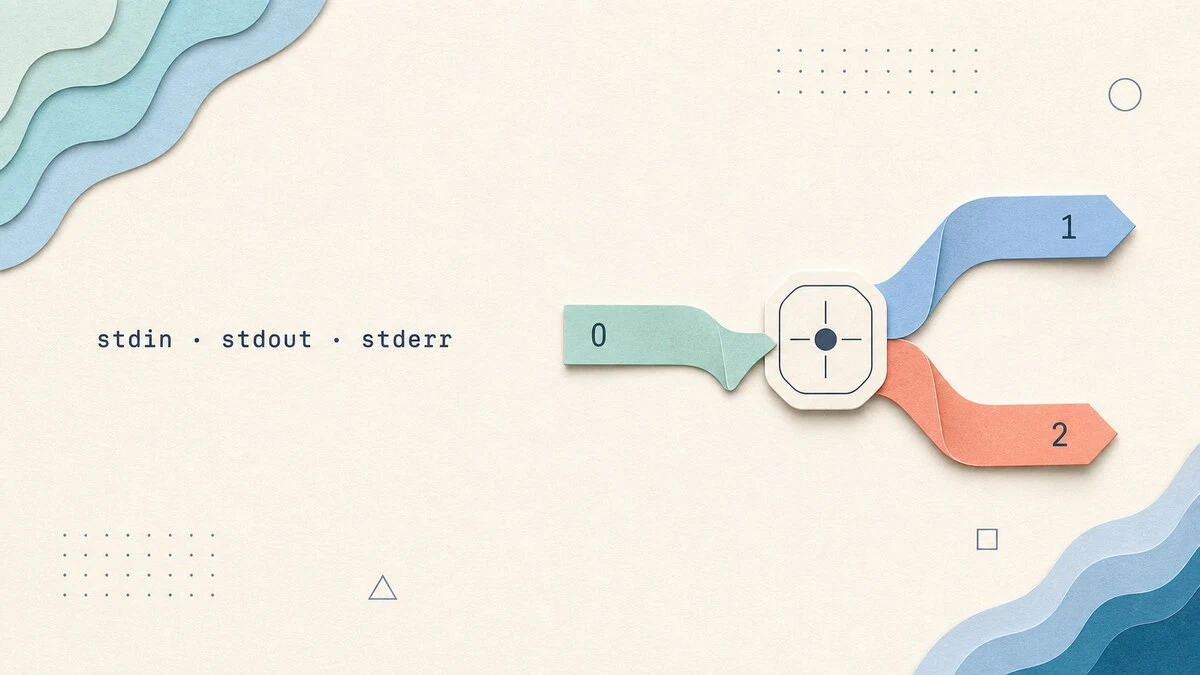
What Is stdin, stdout, and stderr in Linux
stdin, stdout, and stderr are Linux's three standard streams. See how file descriptors 0, 1, and 2 connect commands to terminals, files, and pipes.
How to Set Environment Variables in Linux
Set, list, and make environment variables permanent in Linux. Covers shell vs environment variables, export, printenv, and persistent config in ~/.bashrc and /etc/profile.

How to Read a File Line By Line in Bash
Read a file line by line in Bash using a while loop and the read command. This guide covers IFS splitting, mapfile arrays, command output, and common pitfalls.

Bash Parameter Expansion: Defaults, Substrings, and Replacement
Bash parameter expansion handles default values, substrings, string length, pattern trimming, search and replace, and case conversion, all inside the shell.

How to Concatenate Strings in Bash
Concatenate strings in Bash by placing variables side by side, appending with the += operator, or formatting with printf -v. Includes examples for variables, literals, and command output.

Bash case Statement: Match Patterns in Shell Scripts
The Bash case statement matches a value against a list of patterns and runs the corresponding block. This guide explains argument parsing, syntax, glob patterns, multiple matches, and fall-through behavior.
