Articles by Dejan Panovski
modprobe Command in Linux: Load and Manage Kernel Modules
modprobe adds and removes Linux kernel modules along with their dependencies. See how to pass parameters, blacklist drivers, load modules at boot, and fix errors.

503 Service Unavailable Error: Causes and How to Fix It
The 503 Service Unavailable error means the server cannot handle your request right now. This guide explains what causes it on Nginx, Apache, and load balancers, and how to fix it.

Fix npm Error: unable to get local issuer certificate
Resolve the npm UNABLE_TO_GET_ISSUER_CERT_LOCALLY error by trusting the right CA certificate instead of disabling TLS verification.

How to Rename a Directory or Folder in Linux
Rename a folder in Linux with mv, avoid the move-inside-existing-directory trap with -T, and batch rename directories using loops, find, and rename.
git fetch vs git pull: What Is the Difference?
git fetch downloads remote changes without touching your branch, while git pull also merges or rebases them. See when to use each and how to fix pull errors.

nmap Command in Linux with Practical Examples
Practical nmap examples for Linux: find live hosts, scan specific or top ports, run sudo nmap SYN scans, detect service versions, and speed up scans with -T4.

Configuring the Apache Error and Access Logs
How to configure and read Apache access and error logs, including log formats, virtual host logging, log file locations, and filtering log output.

Linux patch Command: Apply Diff Files
The Linux patch command applies diff files to your original files. Examples cover creating a patch with diff, testing it with --dry-run, -p1 for Git patches, backups, and reversing changes.
How to Diagnose OOM Killer Events in Linux
Diagnose Linux OOM kills with dmesg and journalctl, identify affected processes, check service memory limits, and investigate systemd-oomd events.

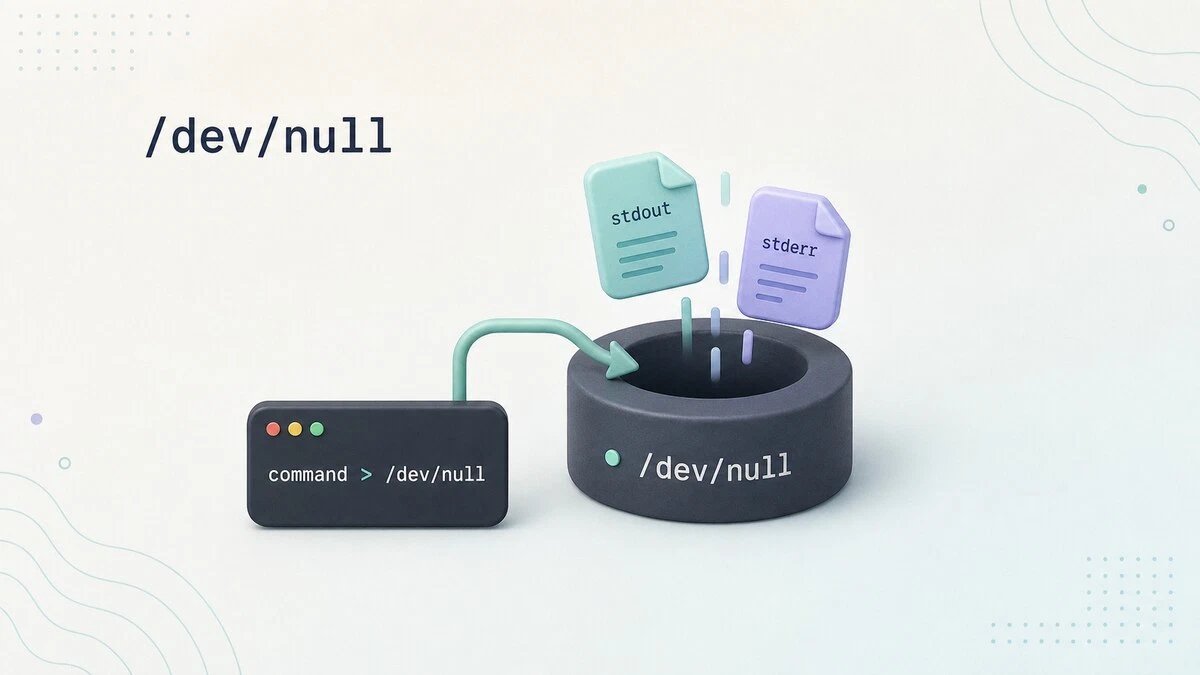
What Is /dev/null in Linux
The Linux /dev/null device discards anything written to it and returns EOF when read. This guide shows how to silence stdout, stderr, cron output, and empty files.
.gitignore: Ignore Files and Folders in Git
Use .gitignore to ignore folders, files, logs, and build output in Git. Covers the pattern syntax, global rules, tracked-file cleanup, and debugging commands.

How to Change MySQL User Password
Change a MySQL or MariaDB user password from the mysql shell using ALTER USER. Covers MySQL 8.0 and 8.4, the root account on Ubuntu, FLUSH PRIVILEGES, and common errors.

Using curl to Make REST API Requests
Send GET, POST, PUT, PATCH, and DELETE requests to a REST API with curl, pass tokens and API keys, and check status codes and JSON responses from the terminal.

How to Use the Linux ftp Command to Transfer Files
Transfer files to and from a remote server using the Linux ftp command. Covers connections, downloads, uploads, passive mode, and scripted transfers.

fdisk Command in Linux: Create Disk Partitions
Use the fdisk command in Linux to list disks, create GPT or MBR partitions, change partition types, format new partitions, and mount them safely.

timedatectl Command in Linux: Manage Time, Date, and Time Zone
Check and change the system time, time zone, and NTP sync with timedatectl, plus how to see and set NTP servers with chrony or systemd-timesyncd.

How to Edit Your Hosts File on Linux, Windows, and macOS
Edit the hosts file on Linux, Windows, and macOS to override DNS locally. Includes file paths, entry examples, saving steps, and verification commands.

How to Check Listening Ports in Linux: ss, netstat, lsof
Use ss, netstat, or lsof to list all listening ports in Linux, identify which process is using a specific port, and filter results by protocol or port number.

How to Unzip Files in Linux
Extract ZIP archives in Linux with the unzip command: unzip to a folder, handle password-protected and multiple archives, list or test contents, and exclude files.

How to Check Linux Version: Distro and Kernel Commands
Terminal commands that show your Linux distribution, release number, and kernel version, including the exact point release on Debian and RHEL systems.