DNS Record Types Explained: A, AAAA, CNAME, MX, TXT, and More
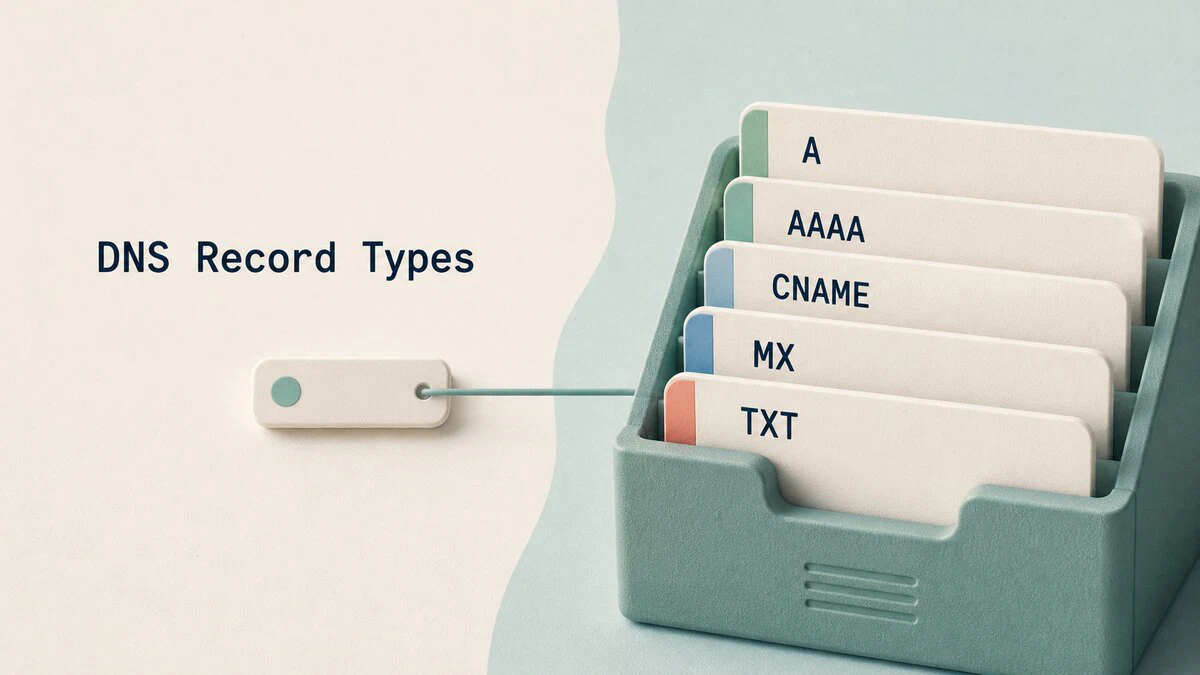
A website can load normally while mail delivery, domain verification, or certificate issuance fails. Each service asks DNS a different question, and the answer comes from a specific record type.
A and AAAA records provide server addresses, MX records route email, TXT records publish verification and policy data, and several other types handle aliases, delegation, service discovery, and security. This guide explains the DNS record types you will encounter most often, shows their zone-file syntax, and demonstrates how to inspect them with dig.
What a DNS Record Contains
DNS is a distributed database that associates names with typed data. A resource record contains a name, time to live (TTL), class, type, and value. The class is almost always IN, which means Internet.
Here are three records in zone-file notation:
example.com.        3600  IN  A      203.0.113.10
www.example.com.    3600  IN  CNAME  example.com.
example.com.        3600  IN  MX     10 mail.example.com.
The final dot marks each name as fully qualified. DNS control panels often hide this detail and let you enter @ for the zone apex or only the subdomain label, such as www.
The TTL in this example is 3600 seconds, so a resolver may reuse a cached answer for up to one hour. A shorter TTL lets resolvers fetch a changed record sooner, but it does not shorten the lifetime of copies already cached with the old value. Before a planned migration, lower the TTL at least one old-TTL interval in advance, wait for existing caches to expire, and then make the change.
A Records: IPv4 Addresses
An A record maps a hostname to an IPv4 address:
example.com. 3600 IN A 203.0.113.10This is the usual record for pointing a website or another network service at an IPv4 server. The value must be an IPv4 address, not a URL, port number, or hostname.
A name can have several A records. Resolvers usually return the complete set, and clients may try the addresses in different orders. This provides basic round-robin traffic distribution, but DNS does not check whether each server is healthy. An unavailable address can remain in the answer until you remove it and its cached TTL expires.
AAAA Records: IPv6 Addresses
An AAAA record maps a hostname to an IPv6 address:
example.com. 3600 IN AAAA 2001:db8::10A dual-stack service commonly publishes both A and AAAA records. Current clients usually request both types and use a connection strategy such as Happy Eyeballs to try IPv6 and IPv4 without waiting through a long failure.
Publish an AAAA record only when the service is reachable at that IPv6 address. IPv4-only clients will continue using the A record, but an incorrect AAAA record can delay or break connections for visitors whose systems prefer IPv6.
CNAME Records: Aliases
A CNAME record makes one name an alias of another name:
www.example.com. 3600 IN CNAME example.com.When a resolver receives this answer, it continues the lookup at example.com. CNAME records are useful when a subdomain must follow a hostname managed by a CDN, application host, or other provider whose IP addresses may change.
The owner of a CNAME cannot also hold ordinary A, AAAA, MX, or TXT data. The zone apex (example.com) must hold SOA and NS records, so it cannot be a CNAME. Providers implement apex aliasing through non-standard features named ALIAS, ANAME, or CNAME flattening, which resolve the target and publish A or AAAA answers on your behalf.
MX Records: Mail Routing
MX records identify the servers that accept email for a domain. Each value starts with a preference number, and lower numbers are preferred:
example.com.    3600  IN  MX  10 mail1.example.com.
example.com.    3600  IN  MX  20 mail2.example.com.
A sending server tries mail1.example.com first and falls back to mail2.example.com if the preferred server is unavailable. Records with equal preference can share delivery attempts.
An MX target must be a hostname that resolves directly through A or AAAA records. It cannot be an IP address or a CNAME alias. The trailing dot is also important in a zone file because omitting it may cause the DNS server to append the zone name.
TXT Records: Verification and Policy Data
TXT records store text associated with a name. Providers use them for domain-ownership challenges, while email systems use them for SPF, DKIM, and DMARC:
example.com.         3600  IN  TXT  "v=spf1 mx -all"
_dmarc.example.com.  3600  IN  TXT  "v=DMARC1; p=quarantine"
The SPF value lists which systems may send mail for the domain. A domain must not publish multiple TXT records beginning with v=spf1 at the same name. DMARC lives at _dmarc, while DKIM keys use a selector name such as default._domainkey.example.com.
Long TXT data can appear as several quoted strings because each individual character-string has a size limit. DNS clients concatenate those strings into one record value. Our guide to SPF, DKIM, and DMARC explains how the three email checks work together.
NS Records: Zone Delegation
NS records name the authoritative servers for a DNS zone:
example.com.    86400  IN  NS  ns1.dns-provider.net.
example.com.    86400  IN  NS  ns2.dns-provider.net.
The parent zone publishes a delegation that directs resolvers to these servers, and the delegated zone publishes its own NS set at the apex. Changing name servers at a registrar updates the parent delegation. The parent and authoritative-zone sets should agree, or different resolution paths may produce inconsistent results.
DNS zones should have at least two authoritative servers for availability, and most registries require it. Managed providers normally create the apex NS records automatically, although you still select or confirm the delegation through the registrar.
SOA Records: Zone Metadata
Every zone contains one SOA (start of authority) record. It identifies the primary server, encodes the administrator contact, and stores a serial number and timers used by secondary servers:
example.com.  86400  IN  SOA  ns1.dns-provider.net. admin.example.com. (
                              2026082101 ; serial
                              7200       ; refresh
                              3600       ; retry
                              1209600    ; expire
                              3600 )     ; minimum
In this example, admin.example.com. represents the email address admin@example.com. Secondary servers compare the serial number with their copy and transfer the zone when the serial increases.
The final MINIMUM field participates in negative caching. A resolver may cache a response stating that a name or record does not exist for the lower of this value and the SOA record’s own TTL. Managed DNS services maintain the SOA fields for you, but the serial and timers remain useful when diagnosing stale or inconsistent authoritative servers.
PTR Records: Reverse DNS
A PTR record maps an IP address to a hostname. IPv4 records live below in-addr.arpa, with the address octets reversed, while IPv6 uses ip6.arpa:
10.113.0.203.in-addr.arpa. 3600 IN PTR mail.example.com.The organization that controls the IP block also controls its reverse zone. For a server address, this is usually your hosting provider or ISP, so you configure PTR data through its control panel rather than your domain’s normal DNS zone.
Forward and reverse records are independent. Mail systems often check that the PTR hostname resolves forward to the sending address, so a mail server should have matching PTR and A or AAAA data.
SRV Records: Service Discovery
An SRV record advertises the hostname and port for a service. Its owner name begins with underscore-prefixed service and protocol labels:
_sip._tcp.example.com. 3600 IN SRV 10 60 5060 sipserver.example.com.The four values are priority, weight, port, and target. Clients prefer lower priorities. When several records share a priority, weight helps distribute requests among their targets.
SRV records are common with SIP, XMPP, LDAP, Active Directory, and some game servers. Web browsers did not adopt SRV for ordinary HTTP and HTTPS navigation, so websites still depend on address, alias, and newer HTTPS records.
CAA Records: Certificate Issuance
A CAA record authorizes a certificate authority to issue TLS certificates for a domain:
example.com. 3600 IN CAA 0 issue "letsencrypt.org"A public certificate authority checks the relevant CAA set before issuance. If a name has no CAA record, the search continues up its DNS name hierarchy, so a policy at example.com also applies to subdomains that do not publish their own CAA set.
The issue property covers standard certificates, issuewild can set a separate wildcard policy, and iodef supplies a contact for policy reports. Check the issuer identifier required by your certificate authority before adding CAA records. An incorrect policy can block both initial issuance and automated renewal.
Other DNS Record Types
DNSSEC uses DNSKEY, DS, RRSIG, NSEC, and NSEC3 records so validating resolvers can authenticate DNS answers. The DNS provider creates signatures and DNSKEY records in the zone, while a DS record in the parent zone completes the chain of trust. Enabling DNSSEC only at the provider without publishing the required DS record does not establish that chain.
SVCB and HTTPS records publish connection parameters and alternative service endpoints. HTTPS records can advertise supported application protocols, including HTTP/3, and provide address hints before a client opens its connection. DNS providers and content delivery networks may create these records automatically.
You may also encounter TLSA for DANE certificate association, SSHFP for SSH host-key fingerprints, and NAPTR for rule-based service discovery. These specialized types are not needed for most domain setups.
Querying DNS Records with dig
The general short-answer form of a dig query is:
dig +short NAME TYPEFor a stable public example, query the A records for Cloudflare’s resolver hostname:
dig +short one.one.one.one A1.0.0.1
1.1.1.1The order may vary because both addresses belong to the same A record set. Remove +short when you need the response status, authoritative flag, TTL, and server details.
To inspect a domain’s mail routing, request its MX records:
dig +short gmail.com MX5 gmail-smtp-in.l.google.com.
10 alt1.gmail-smtp-in.l.google.com.
20 alt2.gmail-smtp-in.l.google.com.
30 alt3.gmail-smtp-in.l.google.com.
40 alt4.gmail-smtp-in.l.google.com.Each answer starts with its preference number, followed by the mail-server hostname. A sending server tries gmail-smtp-in.l.google.com first because its preference of 5 is the lowest. The returned servers and their order can change as the domain operator updates its mail infrastructure.
TXT, CAA, NS, and other records use the same pattern:
dig +short example.com TXT
dig +short example.com CAA
dig +short example.com NS
For reverse DNS, pass an address to -x instead of building the reverse-zone name manually:
dig +short -x 1.1.1.1one.one.one.one.The dig command guide covers server selection, trace queries, and DNSSEC checks. The host and nslookup commands provide simpler alternatives. After changing a record, remember that your resolver or operating system may keep the previous answer until its TTL expires, although you can clear the local DNS cache during testing.
Quick Reference
| Task | Record type | Value |
|---|---|---|
| Point a name to an IPv4 address | A | 203.0.113.10 |
| Point a name to an IPv6 address | AAAA | 2001:db8::10 |
| Make a name follow another hostname | CNAME | example.com. |
| Route incoming email | MX | 10 mail.example.com. |
| Publish verification or policy text | TXT | "v=spf1 mx -all" |
| Delegate a zone to authoritative servers | NS | ns1.dns-provider.net. |
| Store zone authority and transfer data | SOA | Primary server, serial, and timers |
| Map an IP address back to a hostname | PTR | mail.example.com. |
| Advertise a service hostname and port | SRV | 10 60 5060 sip.example.com. |
| Restrict certificate authorities | CAA | 0 issue "letsencrypt.org" |
Conclusion
Before saving a DNS change, confirm the record owner, value format, and whether the target must be an address or a hostname. Lower the TTL ahead of planned migrations, keep the old service available while caches expire, and use dig to verify the answers that resolvers actually receive.
Tags
Linuxize Weekly Newsletter
A quick weekly roundup of new tutorials, news, and tips.
About the authors

Dejan Panovski
Dejan Panovski is the founder of Linuxize, an RHCSA-certified Linux system administrator and DevOps engineer based in Skopje, Macedonia. Author of 1000+ Linux tutorials with 20+ years of experience turning complex Linux tasks into clear, reliable guides.
View author page